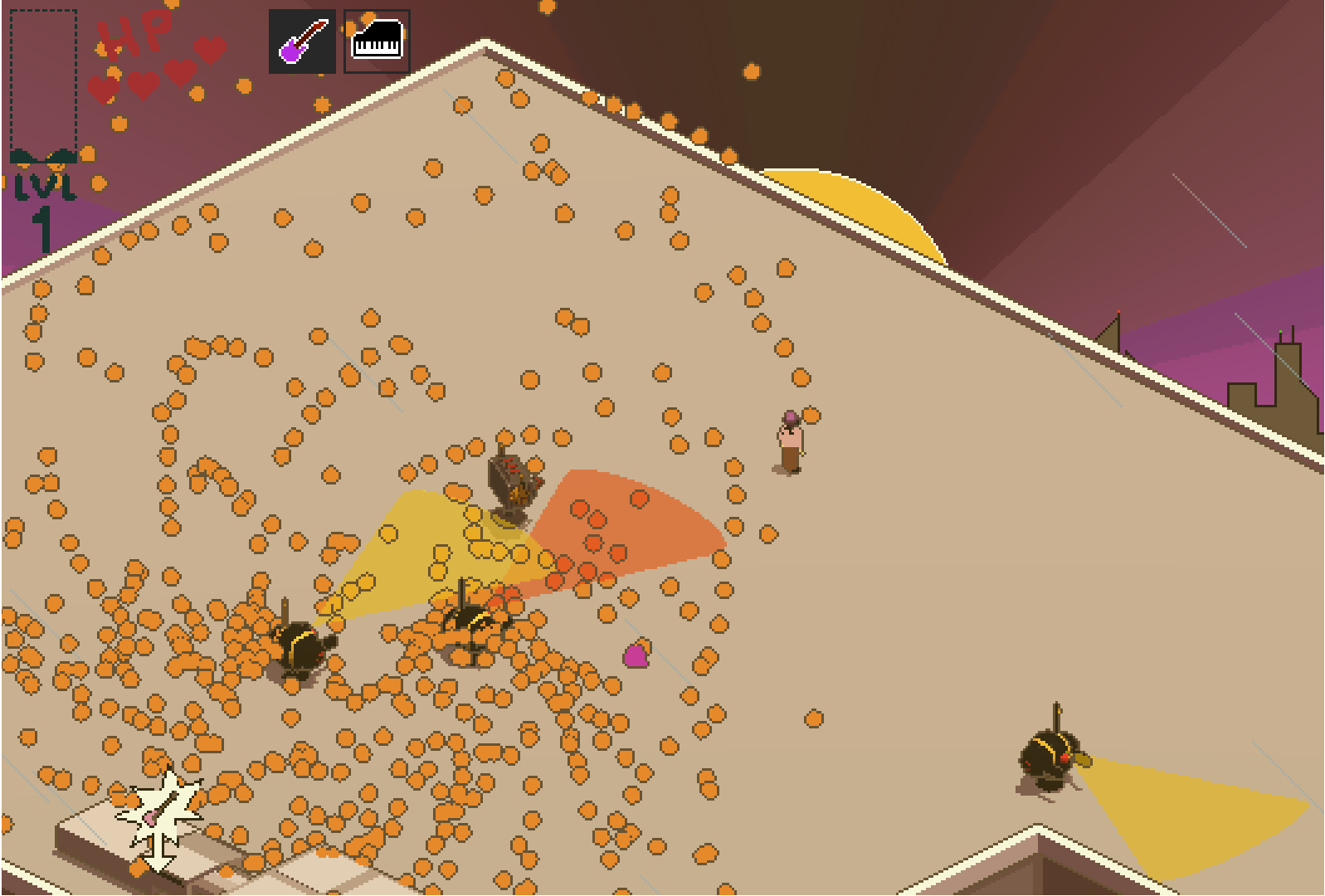
Sometime around April of this year, I sat down with a plan. I had been working on The Girl with the Guitar for three months, and I had essentially been building up the game’s systems and code before designing a single level (aside from the meager test level I’d been running for weeks and weeks). After much work on the game’s pixel shader and the guitar’s physics (perhaps a topic for a future devlog), I was ready to finally sit down and make some levels.
Or so I thought.
I put together the models I needed, slapped a bunch of enemies in my test area, and gave it a go. And, much to my dismay, my little frames-per-second display in the corner read a whopping…
18 fps.
To make matters worse, the frame rate kept changing. One second it was 20, then it’d dip down to 15.
Look, Ocarina of Time runs around 20 fps (it really helps those frame-perfect speedrunning tricks!). But, even if my game could run at a stable 20, that’d be a mess. Nobody wants to buy a game at 20 fps, no less a 2D-presenting game (it is especially important that precise 2D games run at higher frame rates).
So, here I was, my plans totally stumped. Curious to see if it would change anything, I removed all the enemies’ shooting functions. At this, I sat around 40 fps. Sighing again, I removed all the grass. Bam. 60 fps and stable.
And here began the epic week-long saga I’d undergo, just to build my first level. Oh, the pain of developing games!
Touching Grass
Let’s start with the easier one. Grass is a very common problem for optimization in games. If done poorly, each of those little blades will consume way too much processing power as the game tries to figure out what’s going on.
The biggest solution to objects like grass is to use a multimesh, essentially pushing the grass onto the GPU rather than the CPU. The GPU, as you may know, is many times more powerful than its computational counterpart. As long as we’re not going to physically interact with the grass (oh boy, what a problem that’d be), we can get away with calling our grass simple graphical flourishes and put it straight onto the GPU.

This leads into another problem: culling. Culling is when your game automatically temporarily removes objects which you can’t see, cutting back on processing power. It is more difficult to cull a multimesh because it’s essentially the GPU instancing a bunch of meshes all at once. If we make all our grass a single multimesh, the game will have to render every single blade even if it’s way off screen.
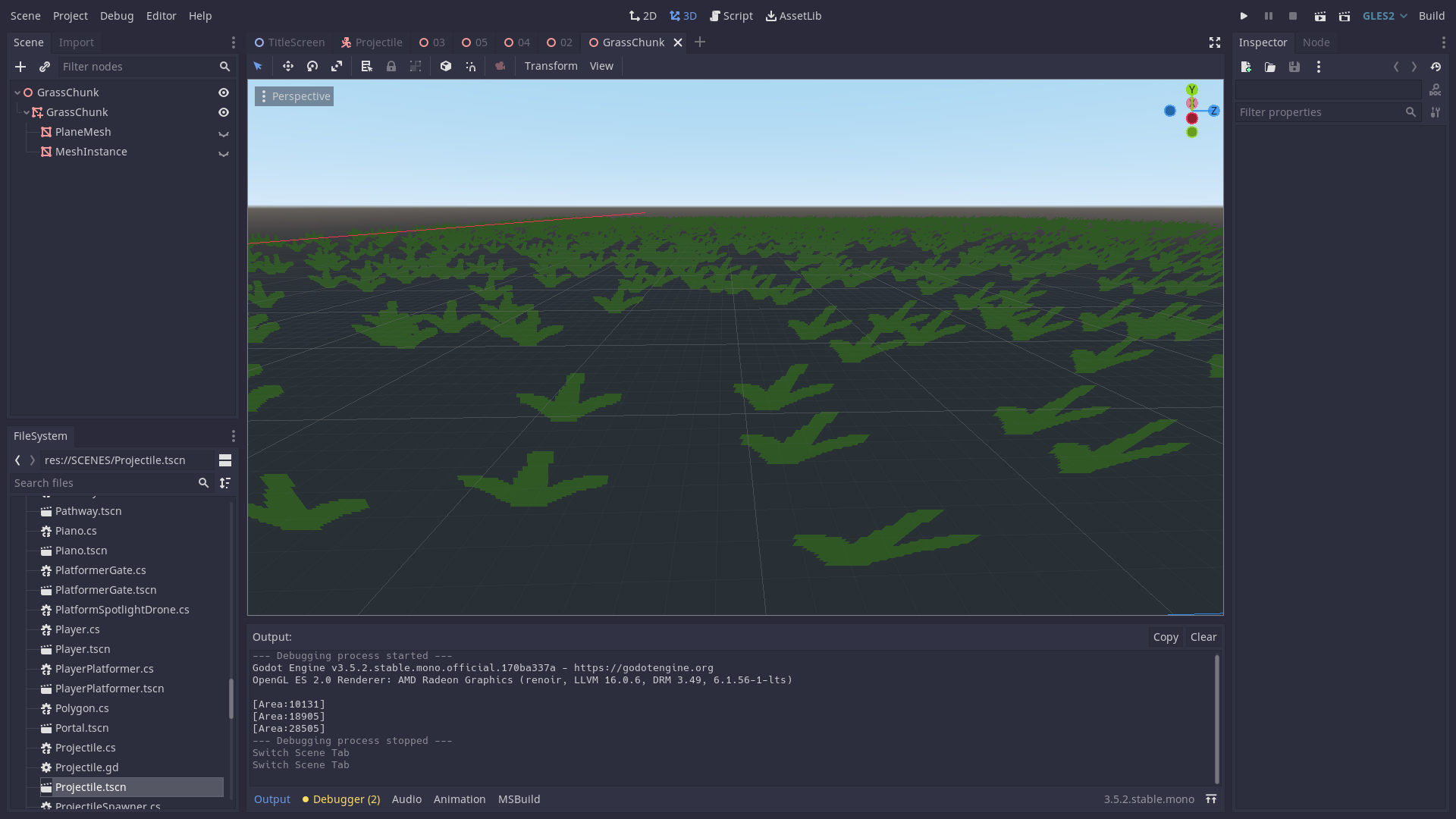
So, we can use a pretty simple solution: we’ll break all the grass into four areas, each of which takes up the size of the screen. Then we’ll cycle those areas around when we walk, so that we always have grass on-screen.
Finally, we can change the grass itself. Even in a lot of high-quality 3D games, grass meshes are vastly simplified. But here, we’ll take it to the next level. Remember that pixel shader from earlier? It’ll cover up most of the details of the grass itself, so we can literally make our grass out of excessively simple quad meshes without the viewer noticing much of a difference.
So, we’ve got the grass fixed. Now we’ve got the big problem: this is a bullet hell, and it’s gonna need some bullets.
Bullet Hell
Initially, I was doing bullets the “normal” way: I had created a scene (an in-game object) representing a bullet. The scene contained a collision shape (so that the bullet could collide using Godot-engine physics), a mesh (so that it could be visible), and some other miscellaneous nodes such as a VisibilityNotifier so that it could delete when sufficiently off-screen.
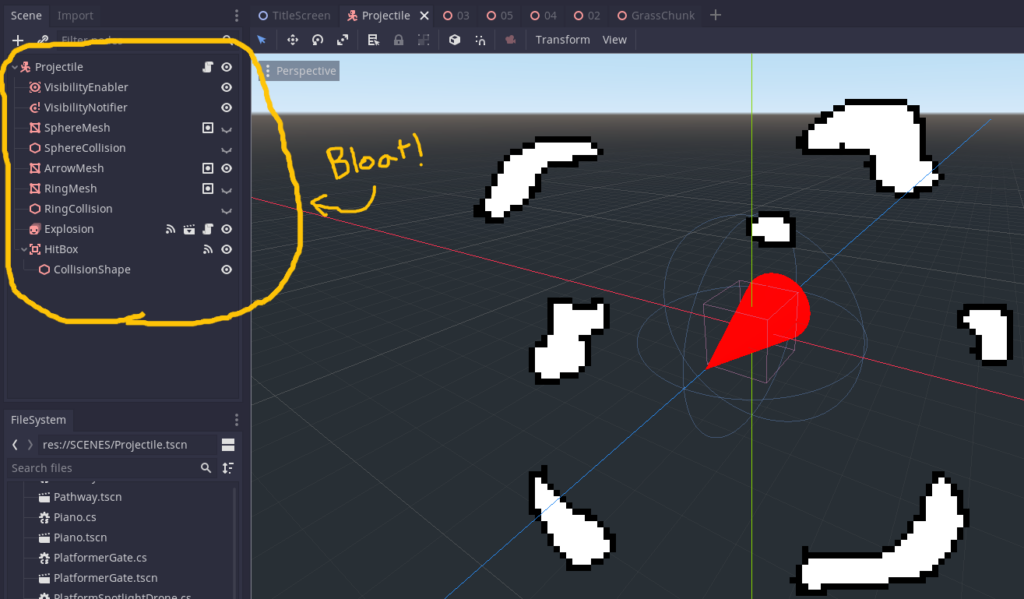
This was the biggest issue in the game’s functionality. While this is generally the way you’re supposed to do things in Godot, it performed horribly. Every time an enemy wanted to shoot a bullet, the game would have to instantiate (create) an entirely new scene, then it’d have to continue to track the collision shape of the bullet for the rest of that bullet’s lifetime. Finally, when the bullet collides with something, the game then needs to go through the entire process of safely deleting that bullet.
That’s all for a single bullet. Spoilers: bullet hells have a lot of bullets.
There were a few potential solutions to this, many of which did not work. Join me, kind reader, on this roller coaster of bullet optimization.
Pooling
So, all that work instantiating and deleting the bullets? That could be solved with a technique called “pooling.”
Essentially, instead of creating and deleting bullets every time an enemy wants to unleash its fury upon the player, we can create thousands of deactivated bullets in a “pool” at the beginning of the game, then have each enemy pull existing bullets from the pool rather than creating new ones. When the bullet’s life is over, the bullet will become deactivated and return to the pool, ready for re-use.
So, this sounded like a great solution, but… it didn’t work. 🙁
Firstly, pooling requires a lot of work to be done right when a new area is loaded. The problem is that The Girl with the Guitar takes a Celeste-style approach to its levels; each level is pretty short, and you are constantly switching between levels. Anything less than a quick transition animation would be insufferable – imagine if you had to wait for a loading screen every time you switched rooms in Celeste. Wouldn’t be too fun, would it?
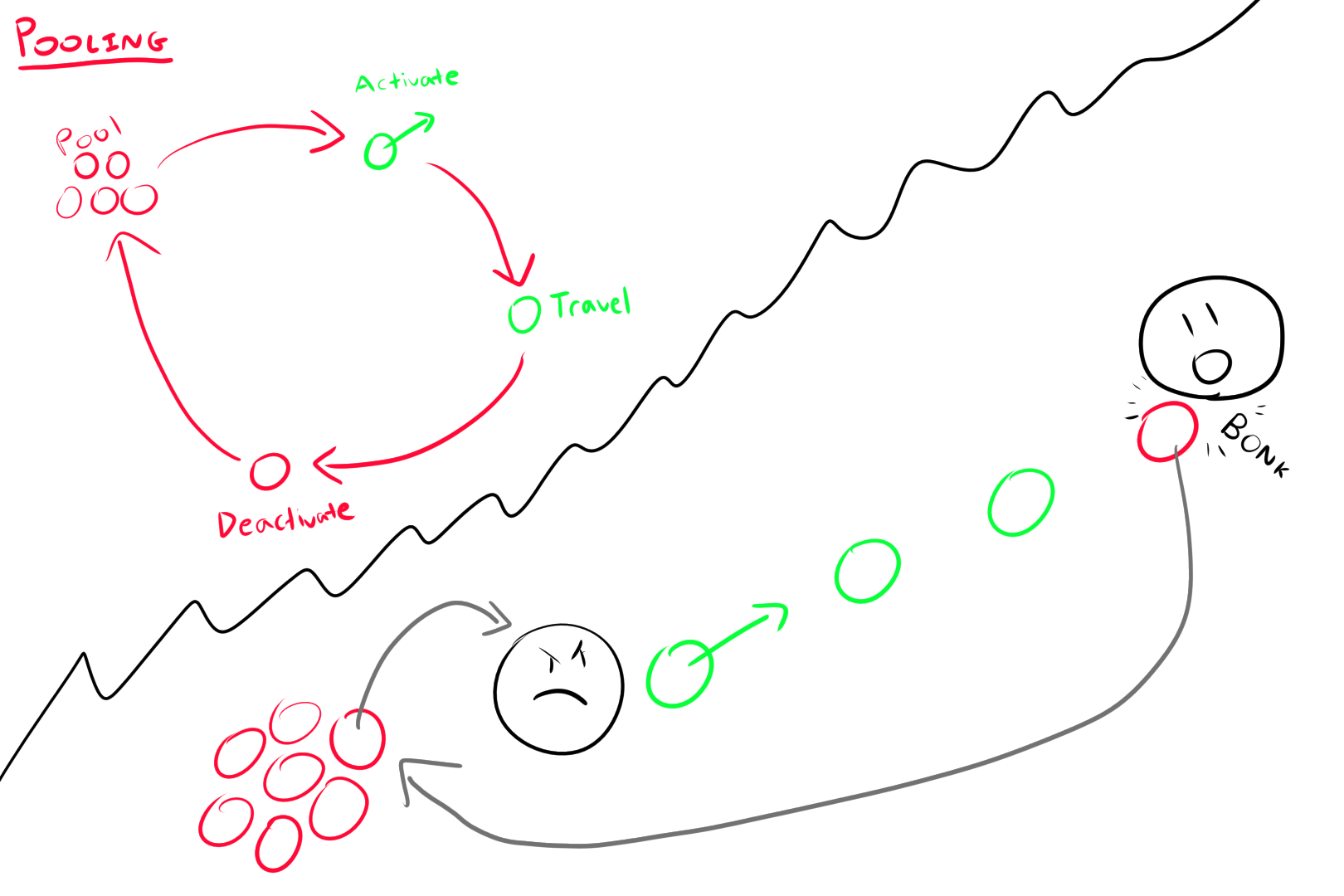
Secondly, pooling still requires a bunch of deactivated bullets to be hanging around, and no deactivation will be able to solve the bloat of each individual bullet’s scene. With pooling, even when you’ve got no bullets being flung at you, the game is still processing the thousands in the pool, much to the CPU’s detriment (this is a hint for a later solution!).
Finally, even with pooling in place, every bullet is still an individual mesh traveling as an individual scene with an individual collision shape. This adds up, regardless of whether the bullet was created/deleted in-place or not.
With pooling, the game ran near 60 fps, but it continually fluctuated and felt incredibly unstable. Progress had been made, but pooling wasn’t the solution.
Collision Servers
There’s not too much to say about this one, so I’ll make it quick.
After pooling failed, I turned to using the Godot collision servers. Godot has its node-based functionality for ease of use, but there’s a way to handle the collisions yourself purely via code.
So, I spent a few hours reorganizing my code, used the collision servers, and…
It still didn’t work!
This was SUPER valuable information, though. If raw-coded collisions weren’t working, clearly nothing would work utilizing Godot’s collision system. Much love to Godot, but it simply wasn’t designed to handle everything I was throwing at it.
Thus, I found no other option but to set my sights on greener pastures, on a land where collision shapes don’t exist in the slightest.
The land of the GPUs and the distance formulas.
The Distance Formula and the GPU
Realizing that regular CPU collisions wouldn’t work, I decided to offload the bullet meshes from the CPU entirely and place them on the GPU as a multimesh, the exact same strategy I had previously used for the grass.
Remember when I said that this worked for the grass precisely because the grass didn’t have physical collisions? That point still stands – we can have all the GPU-processed bullets we want, but they won’t hit anybody!
There is a way! In a move which would greatly upset Heisenberg, we will record the position and momentum of each bullet particle. If only we could do the same with electrons…
Thus, with simple addition (thank god for constant integrals), we’ll be able to know the position of each particle at any time. This is WAY simpler than calculating the physical properties of an entire collision shape.
Finally, to actually make the bullets work, we’ll use the distance formula (the squared version – remember, any comparisons can always get away with distance squared, avoiding that pesky square root).
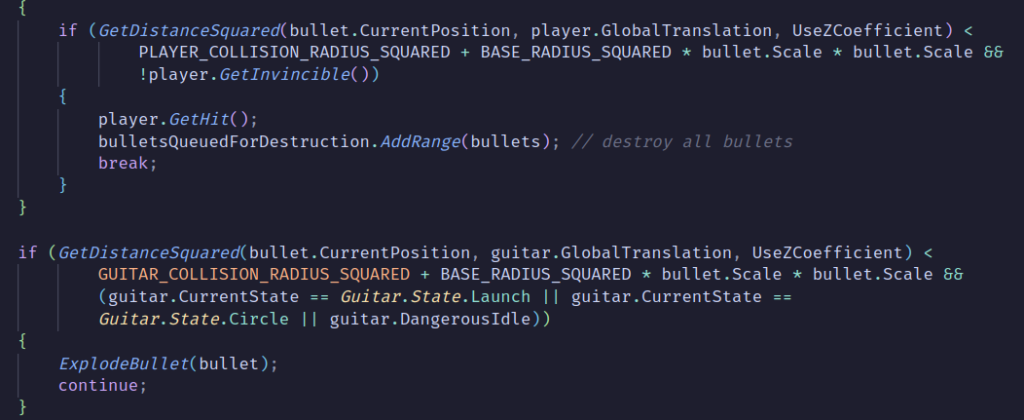
Thus, we can now tell if the position of any bullet is within a certain threshold distance to the position of the player or guitar, using only addition and multiplication (two very simple computational operations). If the bullet is within that threshold, it will do damage to the player or be destroyed by the guitar.
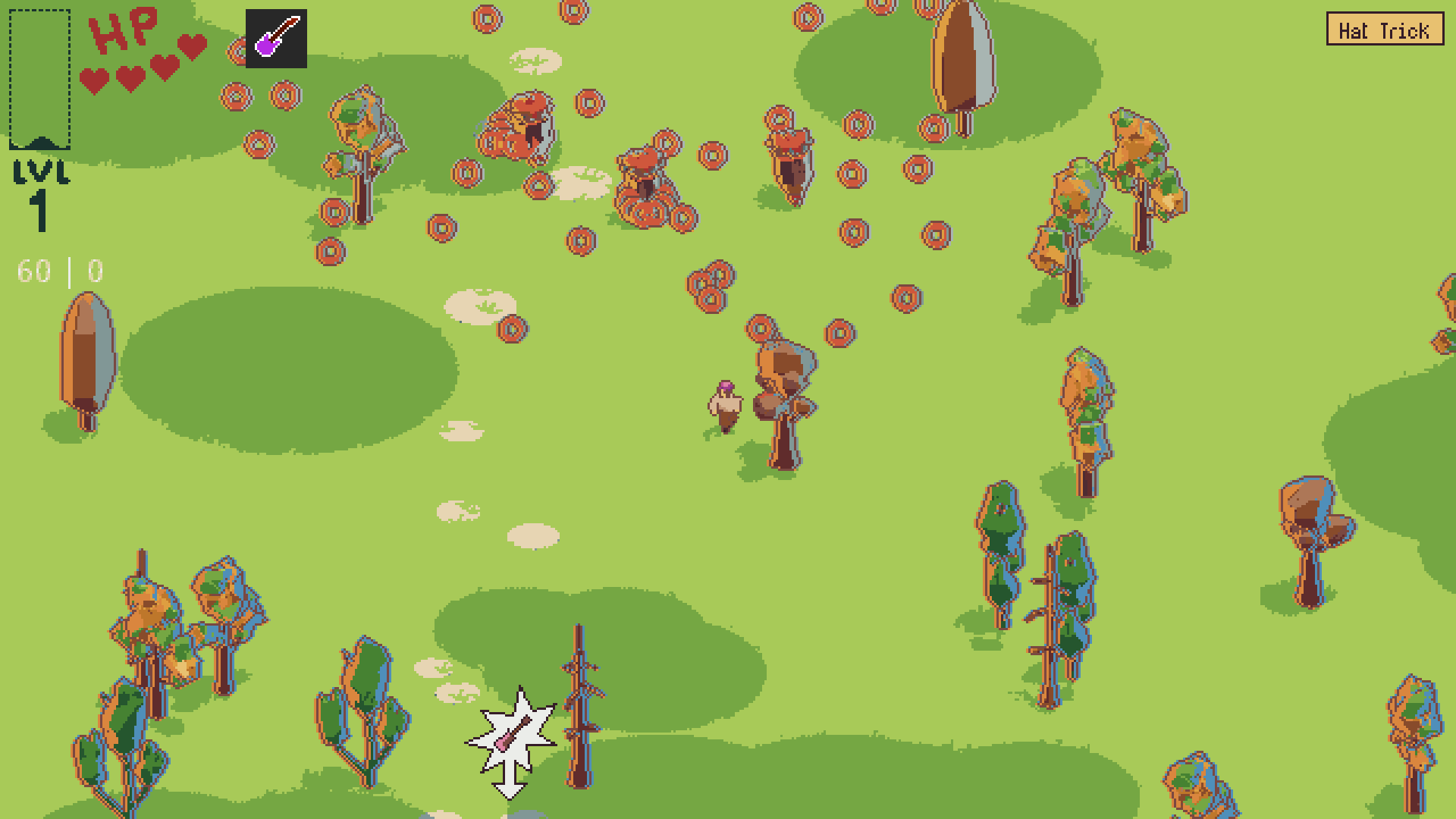
What’s that number I see, up there on the left? It looks to me like it’s coming in at a cool 60 fps. Stable, too.
Beautiful, isn’t it?
Conclusion
Well, that was a lot of stuff. This entire process took me a week, total, but by the end it was worth it. By the way, I was running all these tests on a crappy Arch Linux computer which was not in any way optimized for games. It probably would have worked perfectly on a gaming PC, but as someone who’s run most of my games off of very crappy machines for many years, I’m a big fan of optimization and accessibility, and that’s what you gotta do to make your program work on other machines!
There’s a bit of a drawback, by the way, but it’s easily worked around for this game. Because of the non-collision-shape solution, bullets go through everything but the player and the guitar, including through walls. This was no problem for me, because walls just suck in general when you have a guitar you’re relying on flying towards you. Instead, The Girl with the Guitar achieves level variety by using pits and water to limit where the player can move, while still giving free range to the guitar.
So yeah, that’s it! Maybe this will help somebody specifically trying to optimize bullets in Godot, or maybe it’s just a neat insight into the game optimization process. Either way, I hope you had an interesting read! Have a good one!