Over the summer, I challenged myself to make a game in 40 hours total (a week’s worth of work). 40 hours later, GRAVITY BLADE has been released!
I’ve always been interested in game physics (see Girl with the Guitar), but the physics-based games I’ve developed thus far have all existed in the two-dimensional XY-plane, even if Girl with the Guitar is technically built in 3D. Meanwhile, my only completed 3D game, Blackwood, is heavily story-based and, aside from a short parkour section at the end of the game (spoilers!), the game puts writing and environmental storytelling center stage.
So, I set about making a 3D game which leans heavily into multivariable physics, plus some fun cursor drawing mechanics. I had a great time exploring this new realm of game development, and I’m excited to share my experience!
In this devlog, I’ll start by talking about the general idea of the game, then move into some more technical details, including a fun real-time linear regression algorithm and some neat multivariable physics. Stick around!
Ideation and Analog Physics
If you’ve ever been a bored student with access to Cool Math Games and too much time on your hands, chances are you’ve heard of the game Run. It’s a simple game where you run through a square tunnel. You can strafe left and right, jump, and, as the game’s central mechanic, you can come in contact with the walls of the tunnel and flip gravity, rotating the whole level 90 degrees. If that didn’t make any sense, you can play the game here.
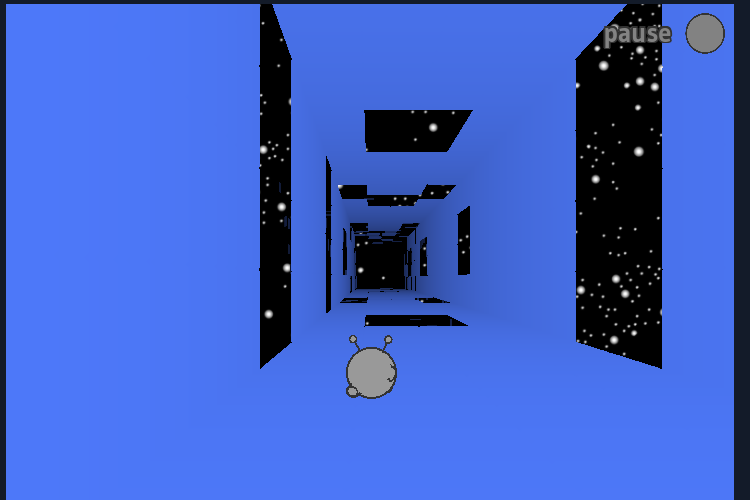
Run is great, but it’s very rigid. Rotation only occurs in strict 90-degree intervals, and you can’t do fancy stuff like rotate in mid-air without touching a platform.
So, with Run as my starting point, my goal was simple: in 40 hours, make a much more physically complex, analog version of the game.
By “analog” physics, I mean free-flowing, unlocked, unrestrained movement. I’m deriving this terminology from the technology of analog triggers on video game controllers, which register their input on a scale of how hard you’re pressing them, as opposed to a digital system, where a button is either “pressed” or “unpressed.”
The first order of business, then, is to “unlock” the physics, allowing the player to rotate any arbitrary amount of degrees rather than in a fixed 90-degree interval. Here, we must consider the hardware.
I’m developing this game for PC, where all keyboard keys are, in the game controller sense, “digital.” The only access we have to analog controls lies in the mouse.
Mouse Controls: Real-Time Linear Regression
Here’s where the mechanics of the game really start to come into focus, and where the fun math begins.
The objective at hand is to find a way to translate the player’s mouse movement into some direction on the unit circle. After some various (easier) ways to go about this, I came across an idea: what if the player slices a sword by drawing a line with the mouse, and the slope of that line determines the change in gravity?
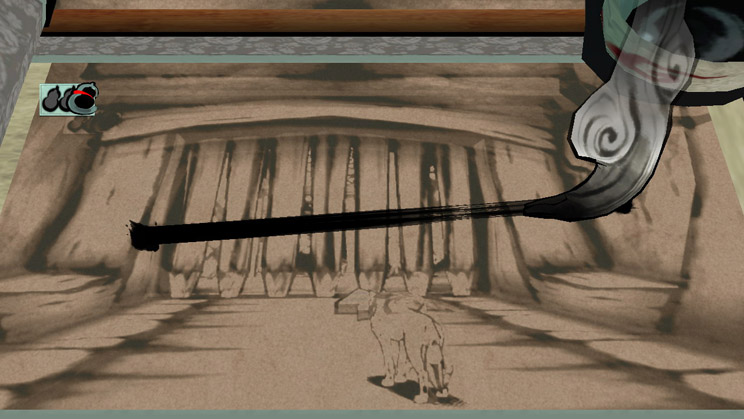
This method is more complicated than its alternatives, but also seems way more fun to design and play. So, I got to work.
1. Drawing the line
Disclaimer: these diagrams are very bad. For this I apologize and humbly beg your forgiveness.
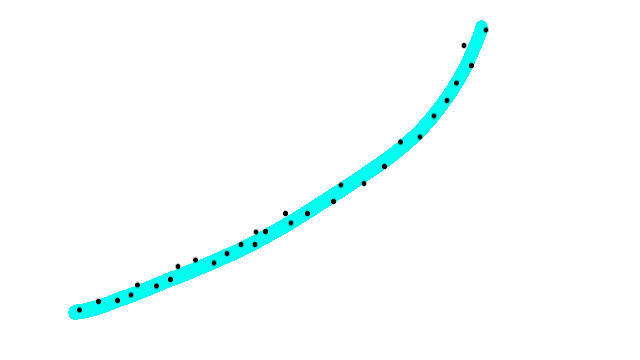
I want the player to draw a line by holding a mouse button and moving the mouse. This is pretty simple to implement; when the player begins holding the left click mouse button, a flag is activated which tells us we’re drawing a line. While this flag is active, every frame we place a 2D point on the screen at the position of the mouse. The mouse drags across the screen until the button is lifted (or a timer runs out; we can’t have the player drawing a slice forever!), at which point the flag is deactivated.
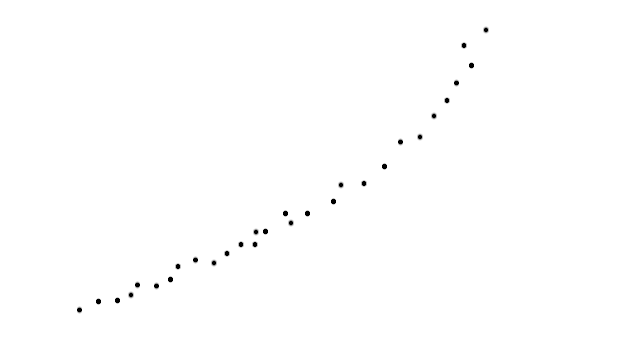
Now, we have a list of 2D vectors representing coordinates of the line.
Finally, we simply connect all those points with a series of line segments, made simple by Godot’s Line2D node.
2. Finding the direction
Time for some trigonometry and… what’s that? Statistical data analysis?
This is certainly a novel area of mathematics to use in real time in a game, but it makes sense in this context. In basic statistics, we can use a linear regression to find a line of best fit for a series of points. That line has a slope, and that slope can be transformed into a direction, which we can then pass into our physics code to change the direction of gravity.
The formula for finding a least squares linear regression is a bit complicated, but it’s not costly. It’s got a lot of repeated addition and multiplication operations, which are very simple and much better than square roots and arctangents and the like, so we’re actually totally fine performance-wise.
Now that we’ve got a slope, we can take its inverse tangent (we only need to do this once) and are left with the direction (or arclength around the unit circle) of the slice!
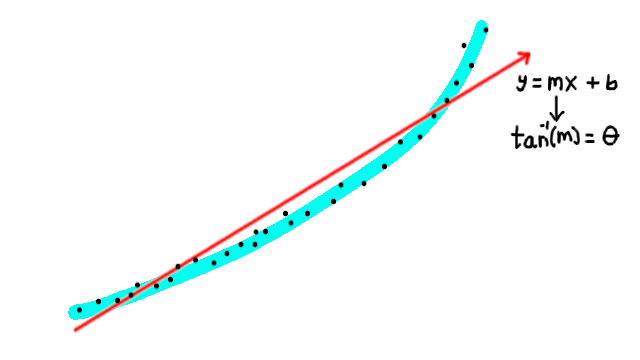
We need to do some extra sign checks in the middle of this process to determine whether the slice is to the right or left, and to the top or bottom, but it’s all fairly simple.
And, voila! We’ve now got a linear regression to pass into the physics handler.
But wait… what use is a sword without enemies?
3. Killing the enemies
After adding some simple flying enemies and having them randomly populate between platforms, we need a way to kill them! This becomes more complicated than it sounds because it requires the interaction of 2D and 3D data. Our sword slice is in two dimensions, but the enemy is in three!
The most obvious way to do this is to shoot a ton of raycasts to intersect with the enemies, but this is SUPER costly and completely unfeasible.
So, rather than relying on the engine’s physics operations, we get to solve a goofy geometry problem!
I call this “quadrangulation,” because it sounds awesome. Details below 🙂
First of all, this is clearly a problem we should solve in 2D rather than 3D, so let’s unproject the enemy geometry. Since the enemies are roughly circular, we can do this by unprojecting two properties: the position and the radius.
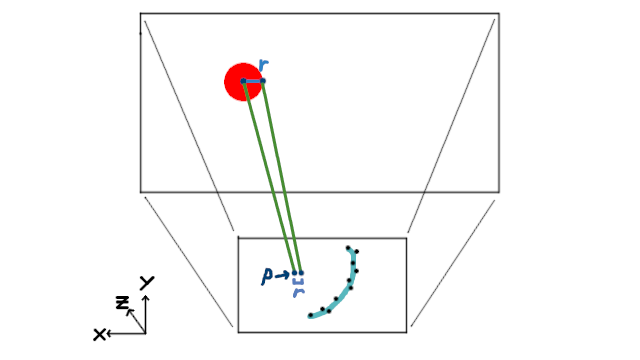
This is a fairly straightforward process: we mathematically unproject the enemy’s radius added to its 3D position in a direction orthogonal to the camera, then we do the same with the 3D position itself. Now we have two sets of 2D coordinates: the enemy’s screenspace position, and a set of coordinates r units away from the enemy’s screenspace position. Thus, we have the 2D position and radius. Hooray!
Now, finding whether an arbitrary line segment bisects a circle is unnecessarily complicated for this problem, so instead, we can consider the slice line as a bunch of straight horizontal or vertical lines (like a Riemann sum) and “quadrangulate” a polygon extending r units up and down from each segment (like triangulation, but with rectangles). If the enemy’s 2D position is within this polygon, it’s a kill!
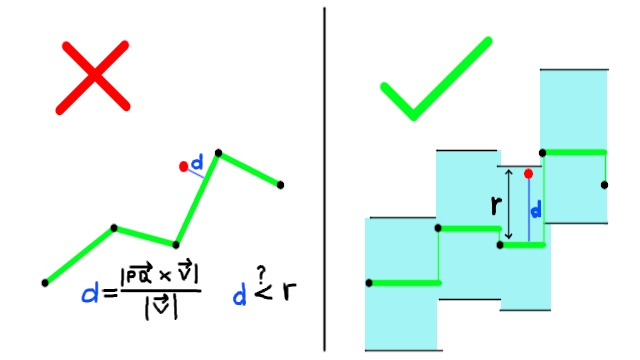
I use quadrangulation because it’s REALLY easy in terms of compute time. Instead of using a cross product (sine bad) and distance function (square root bad) with every single segment (costly iteration bad) in the sword slice to determine collisions, we can use a simple boolean inequality to find out if we’ve hit the enemy.
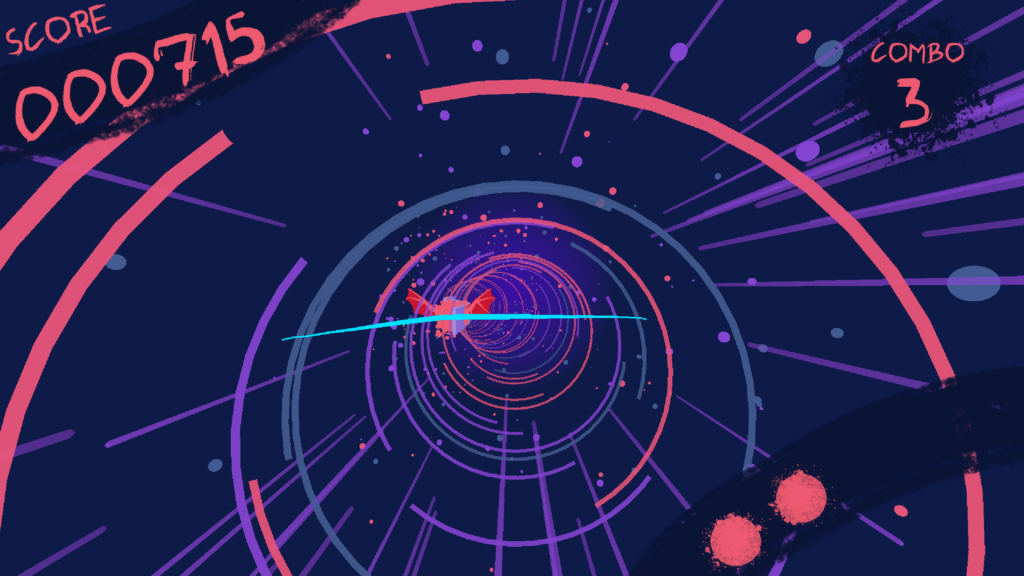
Alrighty then! Sword slice mechanic complete. Now for the actual physics!
Gravity as a Variable
On the first day of intro physics, you learn that g is a constant on Earth’s surface. In a world of change and instability, the very least this cruel planet can offer us feeble humans is a constant 9.81 m/s/s of downwards acceleration.
Okay, 9.81 is fine. But who said it needs to be down? (Let Australia have its moment…)
Without varying the direction of gravity, our movement is rather simple. Our forwards component of velocity (in the negative z direction) increases while in contact with a platform (creating a “speed ramp” type mechanic) and decreases while in the air (creating a form of air resistance). Meanwhile, our side velocity in the xy-plane is generally determined by the left and right arrow keys (or A and D, if that’s what you prefer), allowing us to strafe side to side.
But as soon as we allow gravity to point in ANY direction on the xy-plane, we run into a problem. If gravity points down, pressing the right arrow key should lead to a positive x velocity, easy peasy. But if gravity is pointing 45 degrees to the bottom-right, now our strafing affects the x AND y components of the velocity vector equally. To make matters worse, if we strafe with a 20-degree gravitational angle, the x-component needs to be proportionally larger than the y-component.
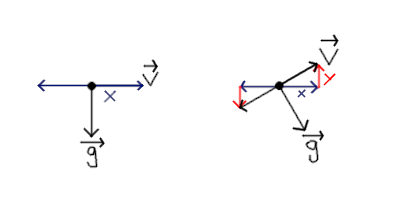
To make these already-worsened matters even worse, in a normal game, the “jump” function simply amounts to setting the y-velocity to a constant jumpforce value… but this doesn’t work here, either, since jumping affects both the x and y directions.
To deal with this, we need to multiply ALL relative xy-plane physics by the normalized gravity vector, ĝ, rotated appropriately. For instance, instead of simply setting the x-velocity to the STRAFE_SPEED constant when the right arrow is pressed, we actually set the overall xy-velocity to STRAFE_SPEED * <-ĝ.y, ĝ.x> Here, ĝ is rotated about the z-axis by 90 degrees because we’re moving orthogonally to the gravity vector. Similarly, instead of simply setting the y-velocity to the JUMPFORCE constant, we need to set it to JUMPFORCE * -ĝ because we jump opposite to the direction of gravity.
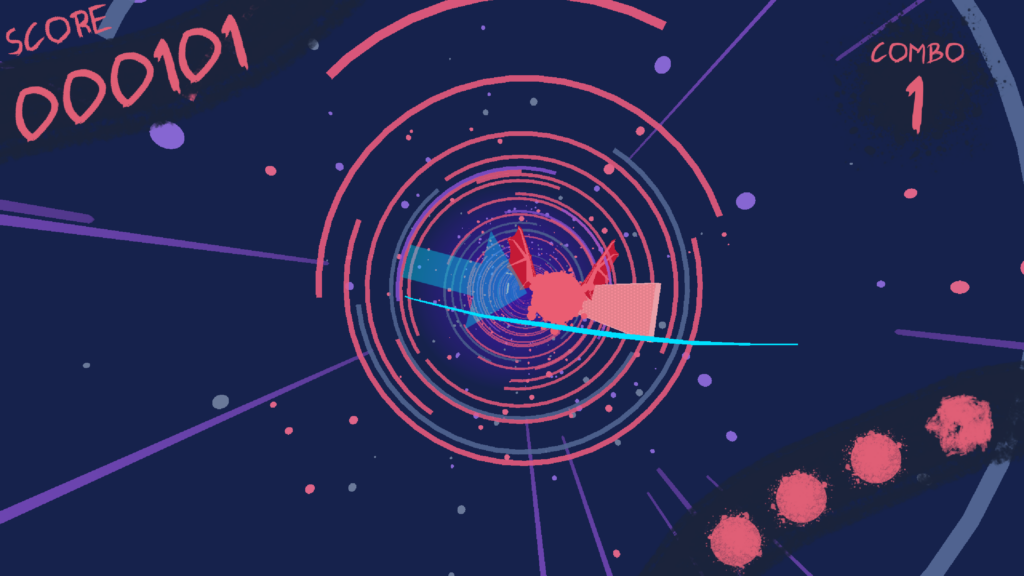
This simple change catapults the physics of our game into the realm of relativity, destroying the notions of human norms in favor of the vectoral type and reminding us of our feeble grasp on the world, symbolized by the omnipotent ĝ.
Either that, or I’ve been coding for too long. Maybe I need some sleep.
Conclusion
All in all, Gravity Blade was an incredibly fun game to develop. It allowed me to experiment and prototype with a lot of different interesting mathematical properties, as well as play around with some fun graphics stuff (outside the scope of this post). I had a great time tinkering around with math to create a fun, feel-good game experience. After all, isn’t that just game development in a nutshell?
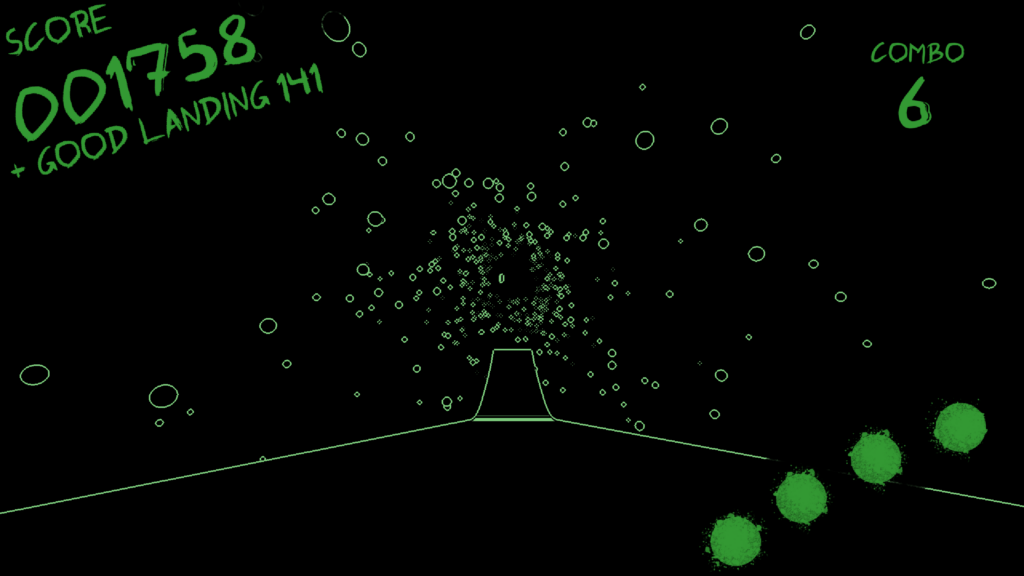
Thanks for sticking around to the end of this devlog! I hope you enjoy your time playing Gravity Blade as much as I enjoyed making it.
See you next time!
Gravity Blade is available on ITCH.IO!